> ## Documentation Index
> Fetch the complete documentation index at: https://docs.tokensmind.ai/llms.txt
> Use this file to discover all available pages before exploring further.

# ClawX

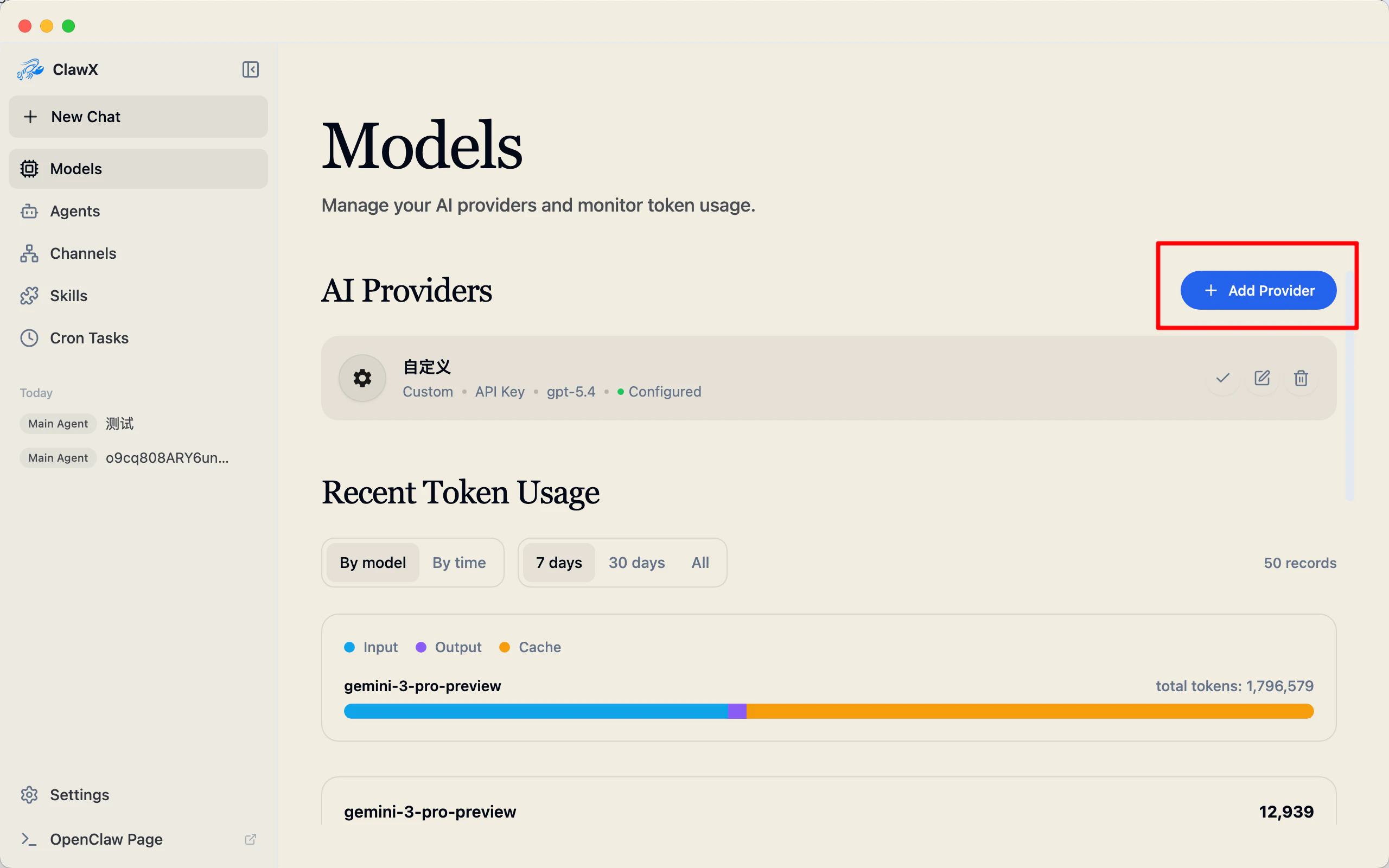
1. Open ClawX → **Models** → **Add provider**
   <img src="https://mintcdn.com/sadfkkl/Mx1P8tz6gbwIRQ-D/images/clawx/1_en.png?fit=max&auto=format&n=Mx1P8tz6gbwIRQ-D&q=85&s=4709e000481994395babee8fbed3182a" width="2560" height="1600" data-path="images/clawx/1_en.png" />

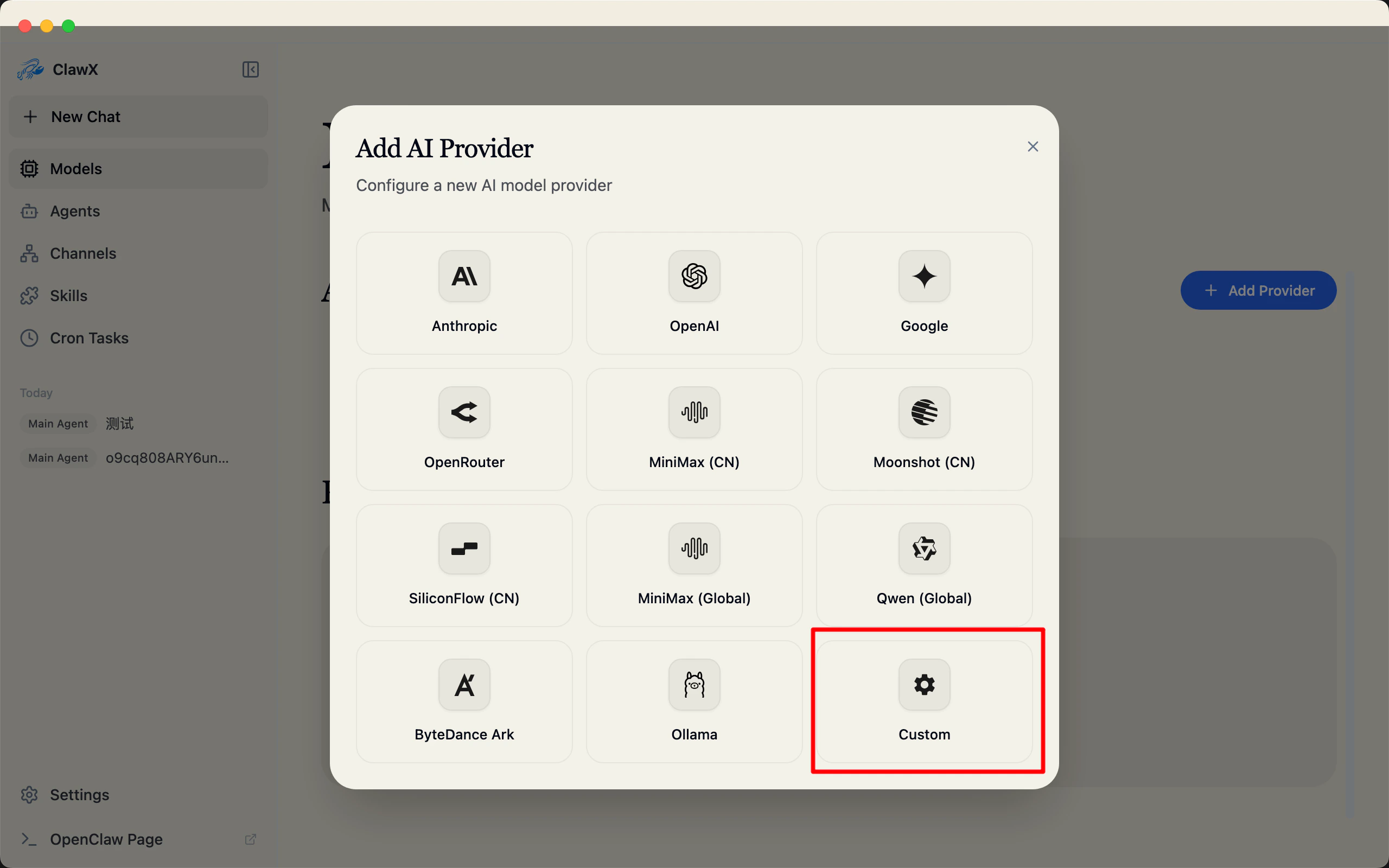
2. Choose **Custom**
   <img src="https://mintcdn.com/sadfkkl/Mx1P8tz6gbwIRQ-D/images/clawx/2_en.png?fit=max&auto=format&n=Mx1P8tz6gbwIRQ-D&q=85&s=7a97cd8bdf010ed9beab5bd49a66de95" width="2560" height="1600" data-path="images/clawx/2_en.png" />

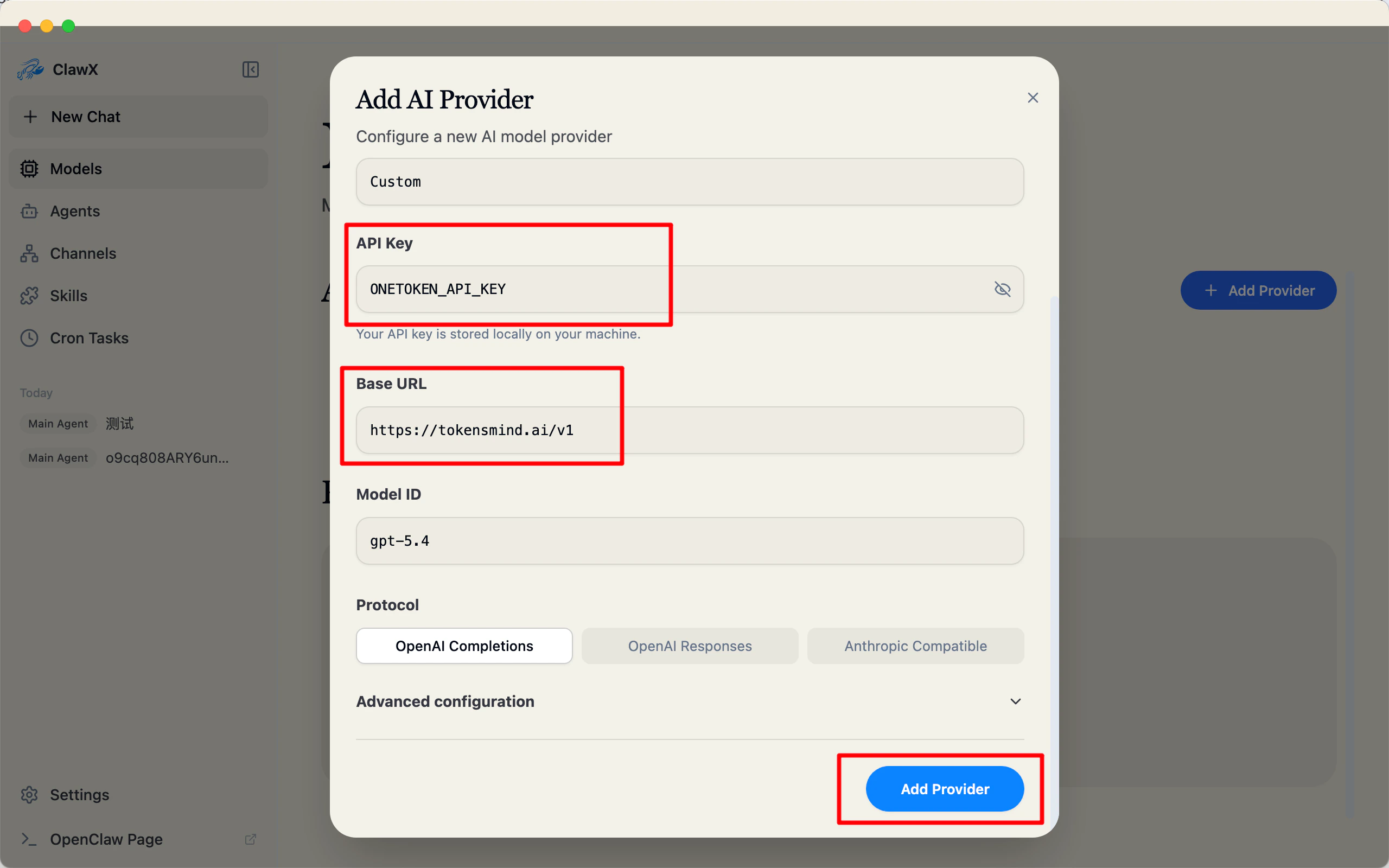
3. Enter **API key** and **base URL**
   <img src="https://mintcdn.com/sadfkkl/Mx1P8tz6gbwIRQ-D/images/clawx/3_en.png?fit=max&auto=format&n=Mx1P8tz6gbwIRQ-D&q=85&s=f80e612c7995af247795a7e5acd3c6fb" width="2560" height="1600" data-path="images/clawx/3_en.png" />

4. Click **Add**—you’re ready to use it.