> ## Documentation Index
> Fetch the complete documentation index at: https://docs.tokensmind.ai/llms.txt
> Use this file to discover all available pages before exploring further.
# Qwen Code
> Use any Tokensmind-hosted LLM with Qwen Code.
## Quick setup
### 1. Install globally
Node.js **≥ 20**, then:
```shell theme={null} theme={null}
npm install -g @qwen-code/qwen-code
qwen --version
```
See the [official repo](https://github.com/QwenLM/qwen-code) for details.
### 2. Environment variables
Add your Tokensmind key and base URL (create keys on the [Keys page](https://tokensmind.ai/token)).
In `~/.zshrc` (example):
```shell theme={null} theme={null}
export OPENAI_API_KEY="your_tokensmind_key"
export OPENAI_BASE_URL="https://tokensmind.ai/v1"
export OPENAI_MODEL="your_model"
```
On Mac, press `⌘ + ⇧ + .` in your home folder to show dotfiles, then edit `.zshrc` in TextEdit (or any editor).
### 3. Apply
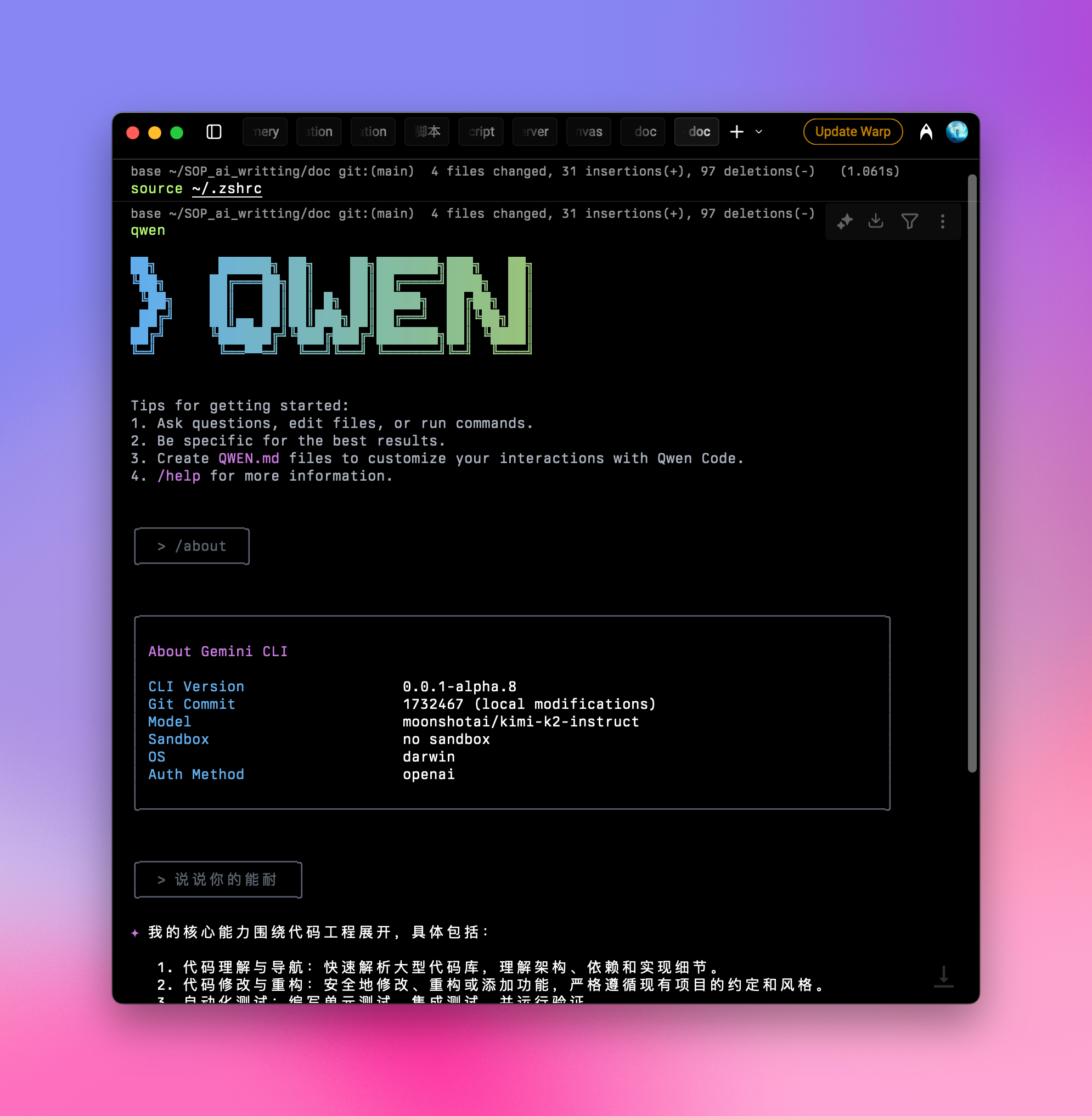
Run `source ~/.zshrc`.
### 4. Run
```shell theme={null} theme={null}
qwen
```
After launch, run `/about` to confirm version and model:
 Some users report occasional stalls—consider a **limited quota** on your [key](https://tokensmind.ai/token) to cap spend.
You’re ready to use Qwen Code normally.
Some users report occasional stalls—consider a **limited quota** on your [key](https://tokensmind.ai/token) to cap spend.
You’re ready to use Qwen Code normally.