> ## Documentation Index
> Fetch the complete documentation index at: https://docs.tokensmind.ai/llms.txt
> Use this file to discover all available pages before exploring further.
# Void Editor
## Third-party API setup for Void Editor
Void is an open, privacy-oriented AI editor (open Cursor alternative). You can point it at any OpenAI-compatible endpoint—**DeepSeek, OpenRouter, OneAPI**, or Tokensmind.
***
## Prerequisites
1. **API key**: [Tokensmind console](https://tokensmind.ai/token)
2. **Base URL**: e.g. `https://tokensmind.ai/v1`
3. **Model id**: e.g. `deepseek-chat`
***
## Steps
### 1. Open settings
1. Launch **Void Editor**.
2. **Gear (Settings)** in the lower left.
3. Open **Void’s Settings**.
***
### 2. OpenAI-compatible provider
Most relays speak OpenAI’s API.
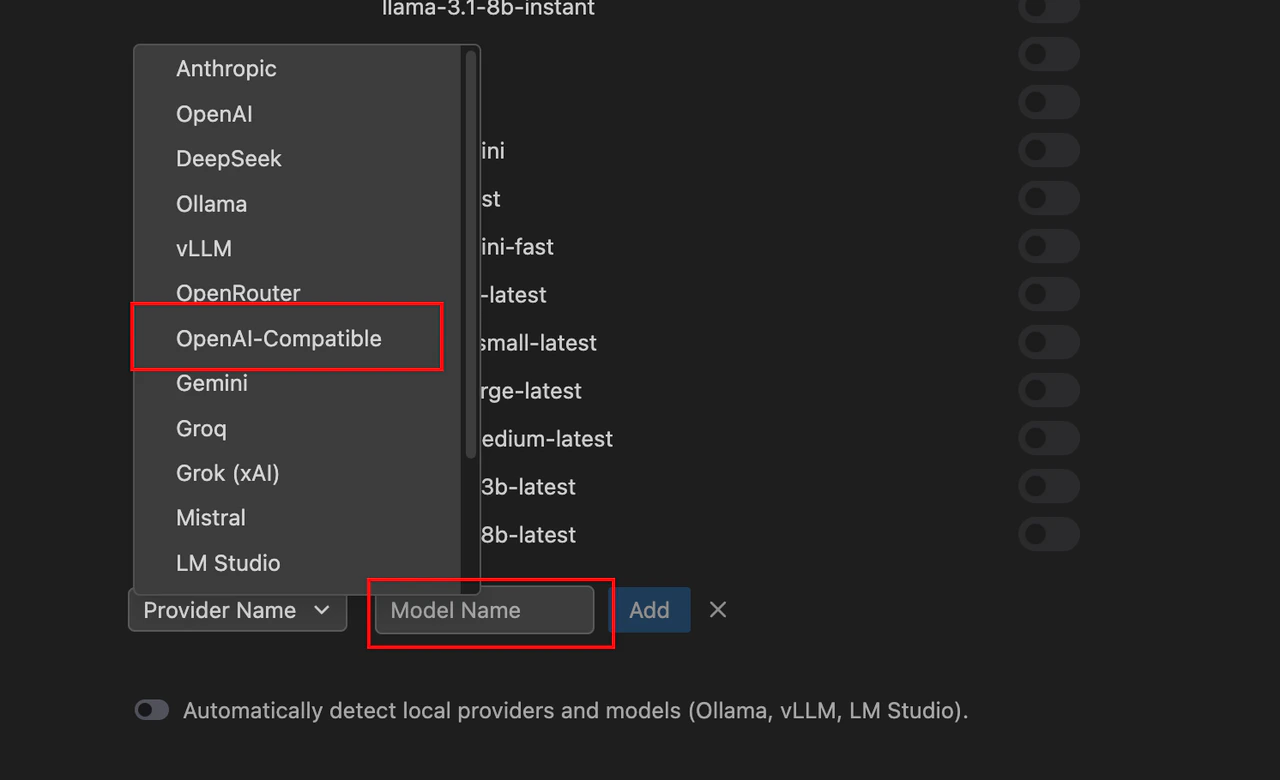
1. Under **Main Providers**, choose **OpenAI Compatible**.
2. **Base URL** — usually must end with `/v1`.
3. **API Key** — paste your key.
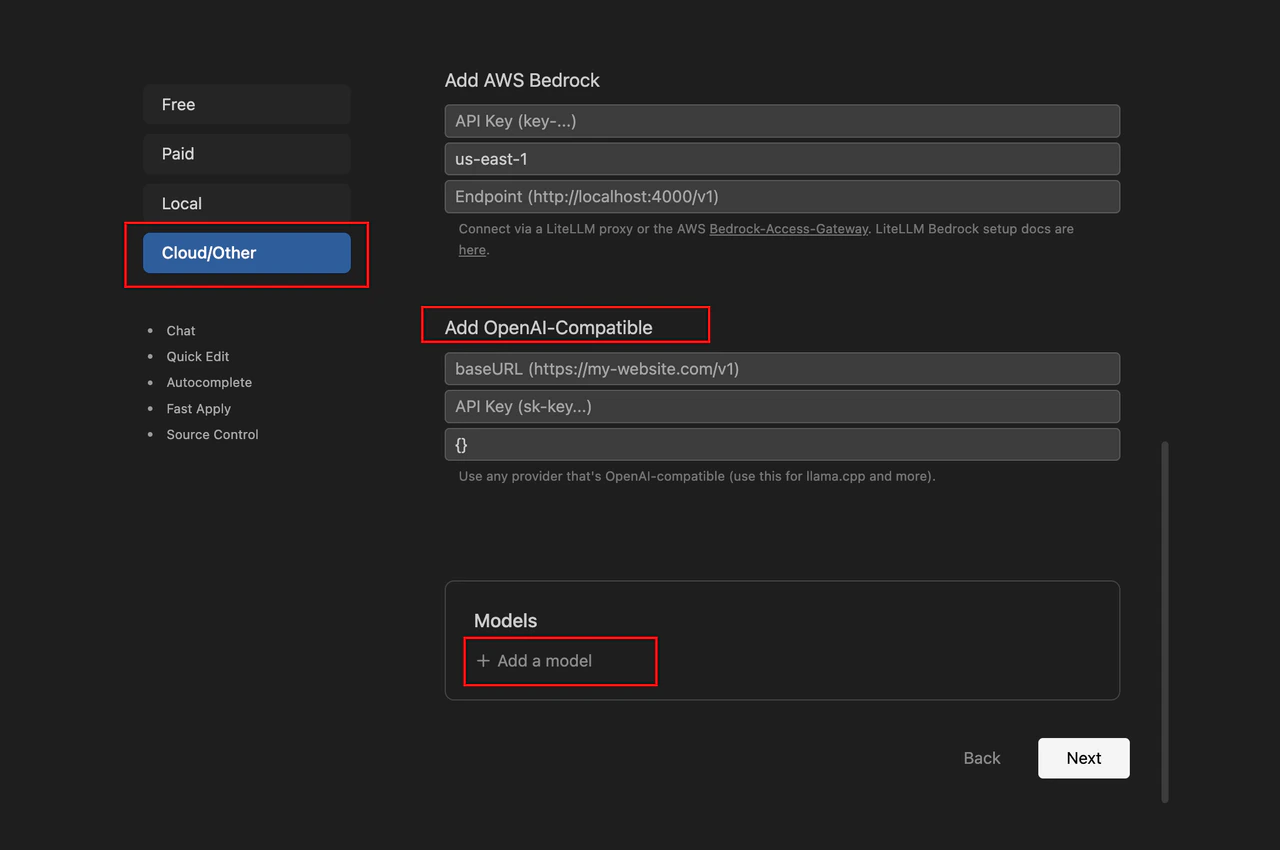 4. **Models** — **Add Model** with the provider’s real id (`deepseek-reasoner`, `claude-3-5-sonnet`, etc.).
 ***
## Chat usage
1. `Ctrl + L` (Windows) / `Cmd + L` (Mac) for sidebar chat.
2. Pick your third-party model in the dropdown.
3. Send a prompt to test.
***
## Troubleshooting
| Symptom | Cause | Fix |
| :---------------------- | :--------- | :---------------------------------------------- |
| **401** | Bad key | Recopy key; no spaces. |
| **404** | Wrong path | Try adding/removing trailing `/v1`. |
| **Timeout** | Network | Proxy / firewall; try the API URL in a browser. |
| **Model not supported** | Typo in id | Match provider spelling exactly. |
***
> **Pro tip**: Void calls the provider directly from your machine. On corporate networks, configure **Proxy** in Void or the system so requests can reach the API.
***
## Chat usage
1. `Ctrl + L` (Windows) / `Cmd + L` (Mac) for sidebar chat.
2. Pick your third-party model in the dropdown.
3. Send a prompt to test.
***
## Troubleshooting
| Symptom | Cause | Fix |
| :---------------------- | :--------- | :---------------------------------------------- |
| **401** | Bad key | Recopy key; no spaces. |
| **404** | Wrong path | Try adding/removing trailing `/v1`. |
| **Timeout** | Network | Proxy / firewall; try the API URL in a browser. |
| **Model not supported** | Typo in id | Match provider spelling exactly. |
***
> **Pro tip**: Void calls the provider directly from your machine. On corporate networks, configure **Proxy** in Void or the system so requests can reach the API.