> ## Documentation Index
> Fetch the complete documentation index at: https://docs.tokensmind.ai/llms.txt
> Use this file to discover all available pages before exploring further.
# How to create a token with a specified group
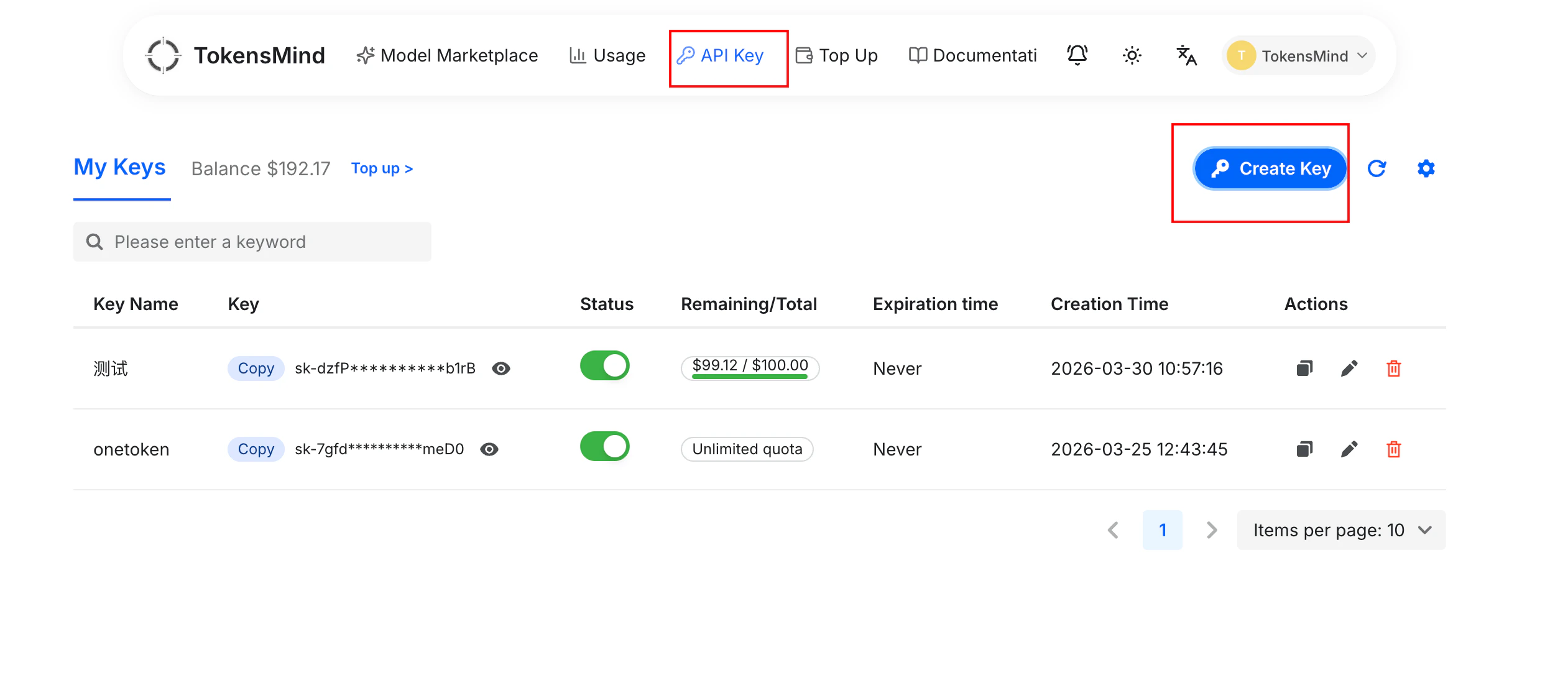
1. After successfully logging in, click on the Secret Key menu, then click the Create Key button
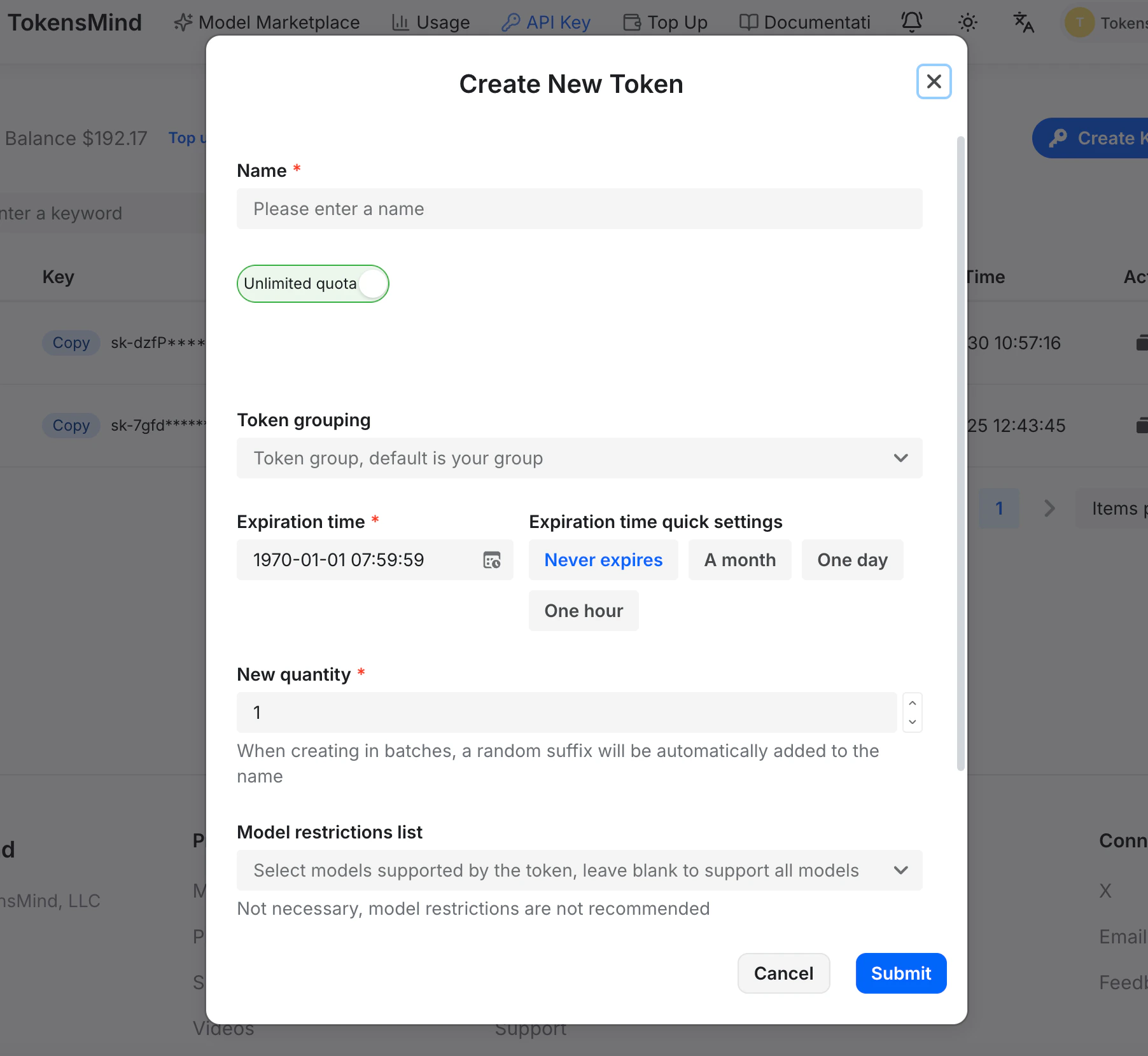
 2. Enter a name, select the group, expiration time, model restriction list, and IP whitelist according to your requirements, then click Submit to create