

Third-party API setup for Void Editor
Void is an open, privacy-oriented AI editor (open Cursor alternative). You can point it at any OpenAI-compatible endpoint—DeepSeek, OpenRouter, OneAPI, or Tokensmind.Prerequisites
- API key: Tokensmind console
- Base URL: e.g.
https://tokensmind.ai/v1 - Model id: e.g.
deepseek-chat
Steps
1. Open settings
- Launch Void Editor.
- Gear (Settings) in the lower left.
- Open Void’s Settings.
2. OpenAI-compatible provider
Most relays speak OpenAI’s API.- Under Main Providers, choose OpenAI Compatible.
- Base URL — usually must end with
/v1. - API Key — paste your key.
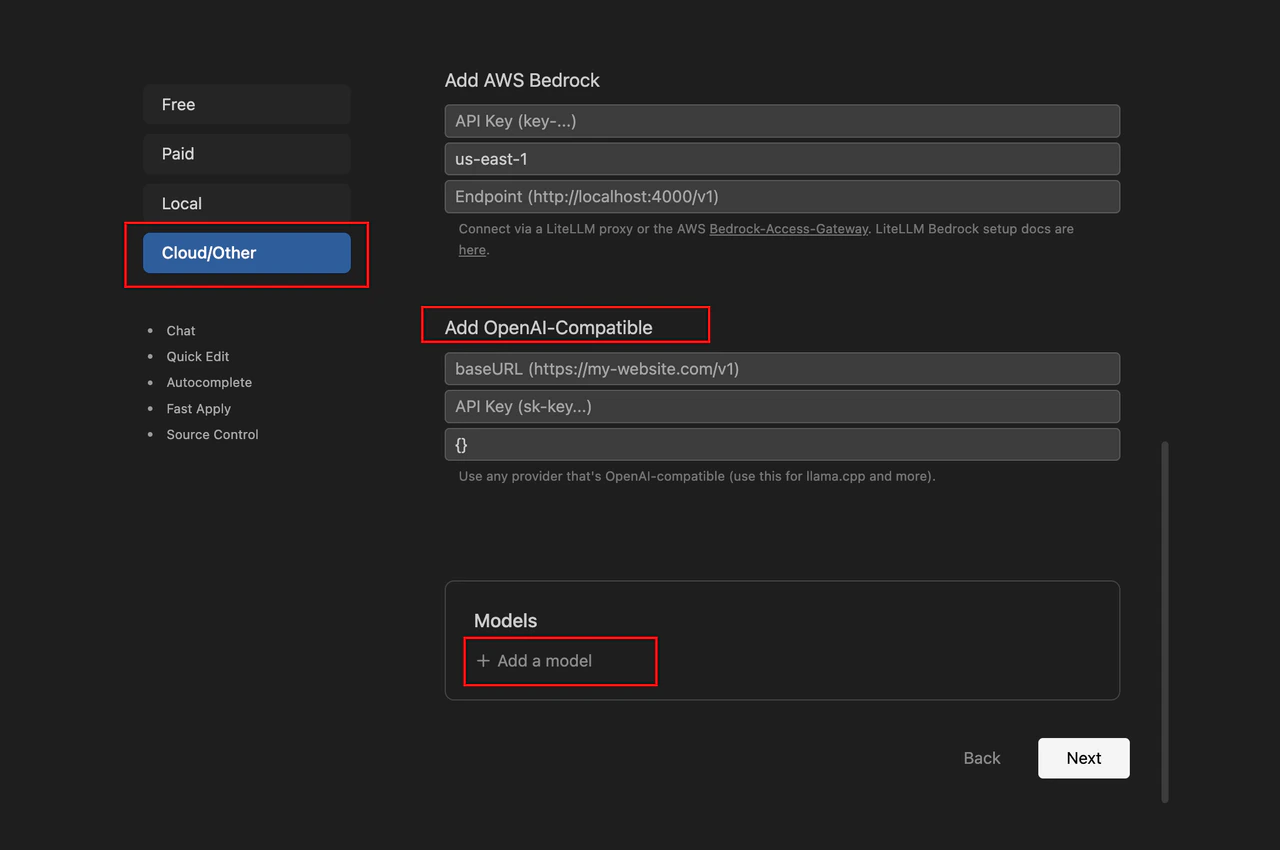
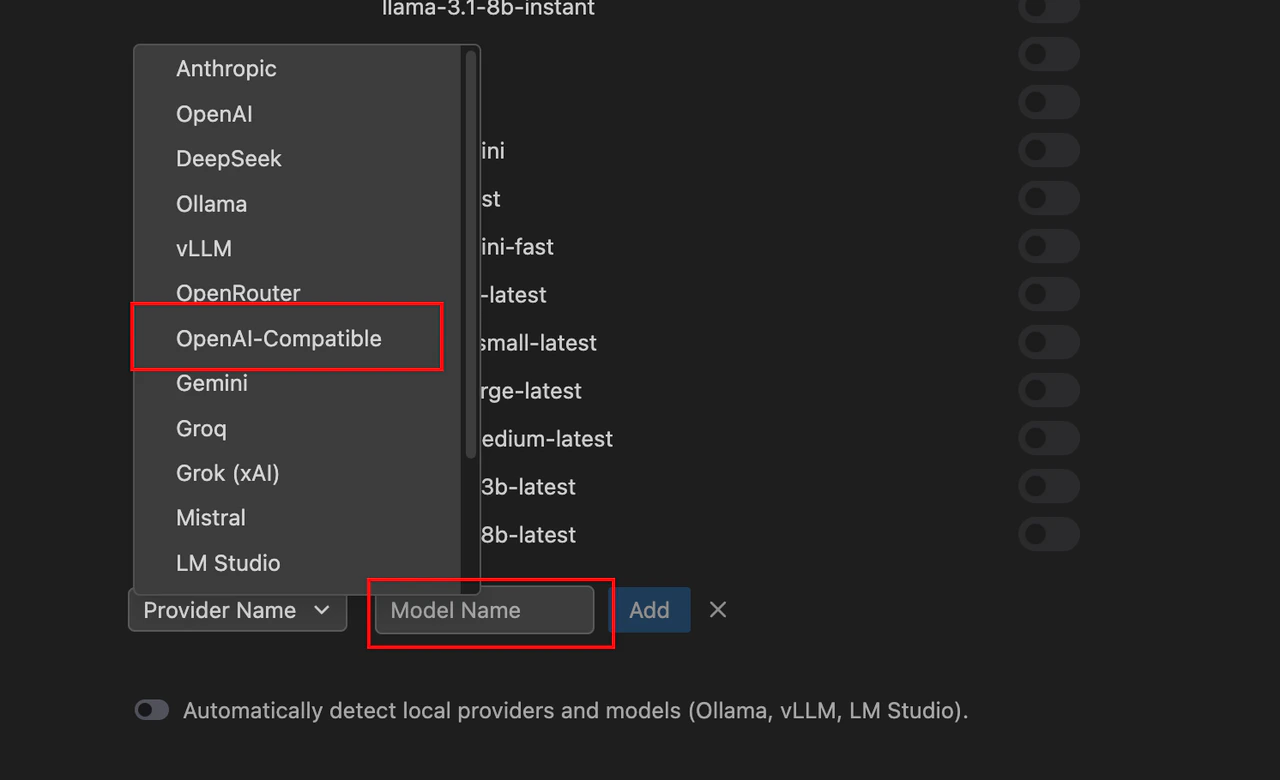
- Models — Add Model with the provider’s real id (
deepseek-reasoner,claude-3-5-sonnet, etc.).
Chat usage
Ctrl + L(Windows) /Cmd + L(Mac) for sidebar chat.- Pick your third-party model in the dropdown.
- Send a prompt to test.
Troubleshooting
Pro tip: Void calls the provider directly from your machine. On corporate networks, configure Proxy in Void or the system so requests can reach the API.